How to add your booking link to Google Maps and Instagram
A booking link only helps if clients find it. A short guide to adding it to your Google Maps profile, Instagram, Facebook and WhatsApp.

In short
- Clients mostly look for you on Google Maps, Instagram and WhatsApp, so the link belongs everywhere.
- On your Google profile the link goes straight to booking, not to a chat window.
- A QR code at the counter lets clients book their next visit before they leave.
Contents 6 parts
Where to find your booking link
A link that goes straight to booking only works if clients find it. Most of the time they look for you in three places: Google Maps, Instagram and WhatsApp. Here is a short guide to putting the link in each of them.
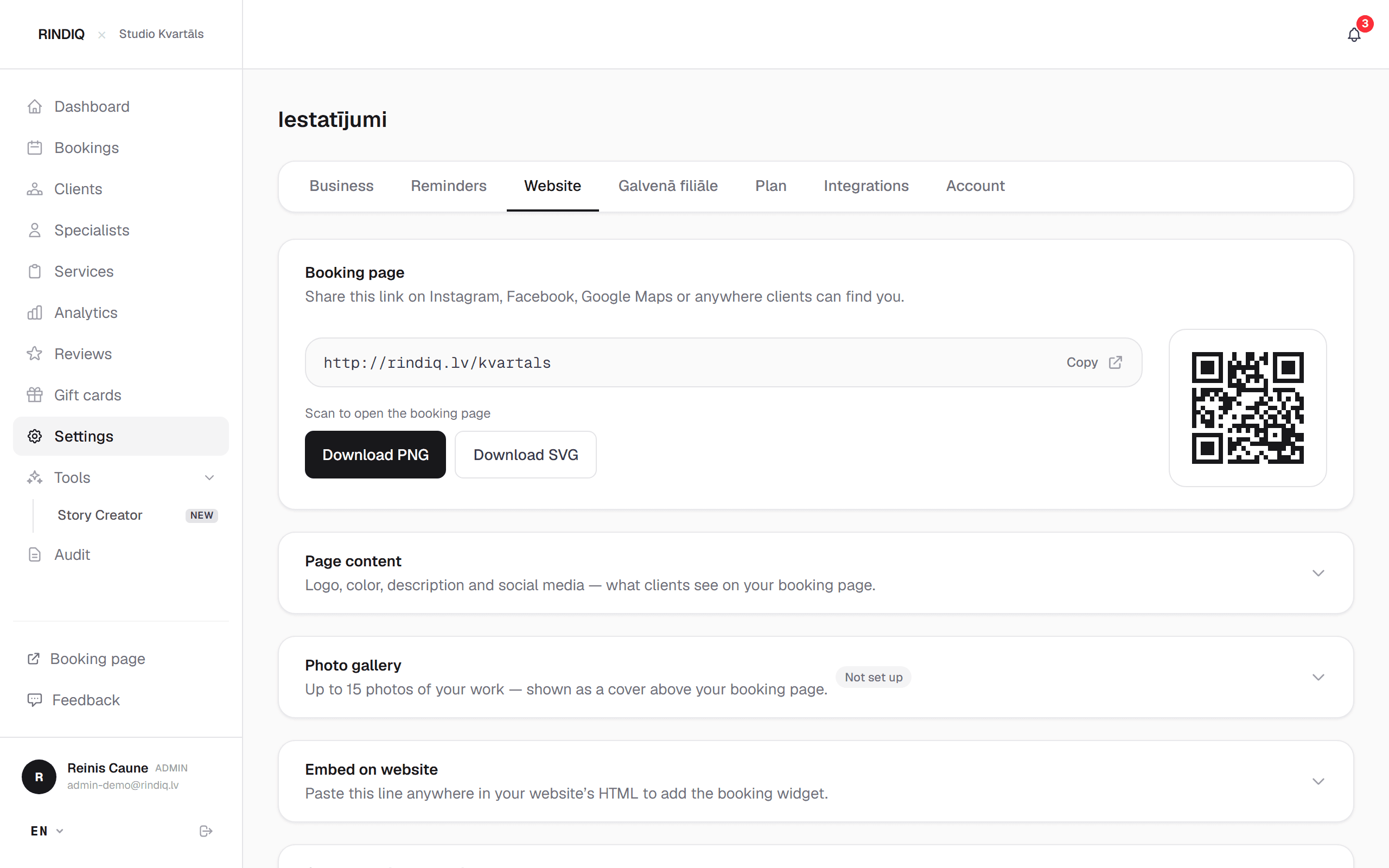
A RINDIQ link looks like this: rindiq.lv/your-name. You will find it under Settings → Website → Booking page, where you can copy it with one tap. There is a QR code there too.
Google Maps
- Sign in to the Google account that manages your Business Profile.
- Find your business on Google Maps or in Google Search and choose “Edit profile”.
- In the contact section, find the field for appointment or booking links and paste your link.
- Save. Changes can take a few hours or days to appear.
If you don't see that field, put the link in the “Website” field. Then the button on your Google profile goes straight to booking instead of to Instagram.
- Open your profile and choose “Edit profile”.
- Under “Links”, choose to add an external link.
- Paste your booking link and give it a title such as “Book now”.
- If you have several links, put the booking link first.
You can add one sentence to your bio too, such as “Free times and booking in the link below”. When you offer a free slot in a story, add a link sticker so clients can book right away.
What to write next to the link
A link on its own is just an address. A few words next to it say why to tap it. The formula is simple: what you do, where, and what the client should do next.
Ready-to-use message
Text next to your booking link
Replace the parts in brackets with your own.
Check it as a client would
Once the link is everywhere, check it the way a client will see it:
- Open Google Maps on your phone, find your business and tap the booking button.
- Open your Instagram profile from another account or a friend's phone and tap the link.
- Make sure the right services, prices and free times show up.
- Go through booking up to the last step to see whether everything is clear.
It takes five minutes, and it shows whether a client from Google or Instagram lands exactly where they should.
Facebook and WhatsApp
On a Facebook page there is a button under the cover photo that you can set to an action. Choose booking and paste your link.
WhatsApp Business has a website field in your profile. Put your booking link there. Also set an away message that goes out while you are with a client, with the link in it. You will find a ready text in Bookings through Instagram and WhatsApp: where clients get lost.
A QR code is handy on the door, on a business card or at the counter: clients scan it and book their next visit before they have even left.
Try RINDIQ free for 14 days
No card needed. You can set up your booking page and deposits in about 5 minutes.
Read next
All articlesYour Instagram account is gone. Your clients aren't
What disappears with a stolen account, what stays, and how to keep your clients even when Instagram won’t open.
Do I need a website if I have Instagram?
A full website, a booking page or Instagram only: what clients need to see before they book.
Bookings through Instagram and WhatsApp: where clients get lost
Where clients slip away in chats and how to close the gaps without stopping work.